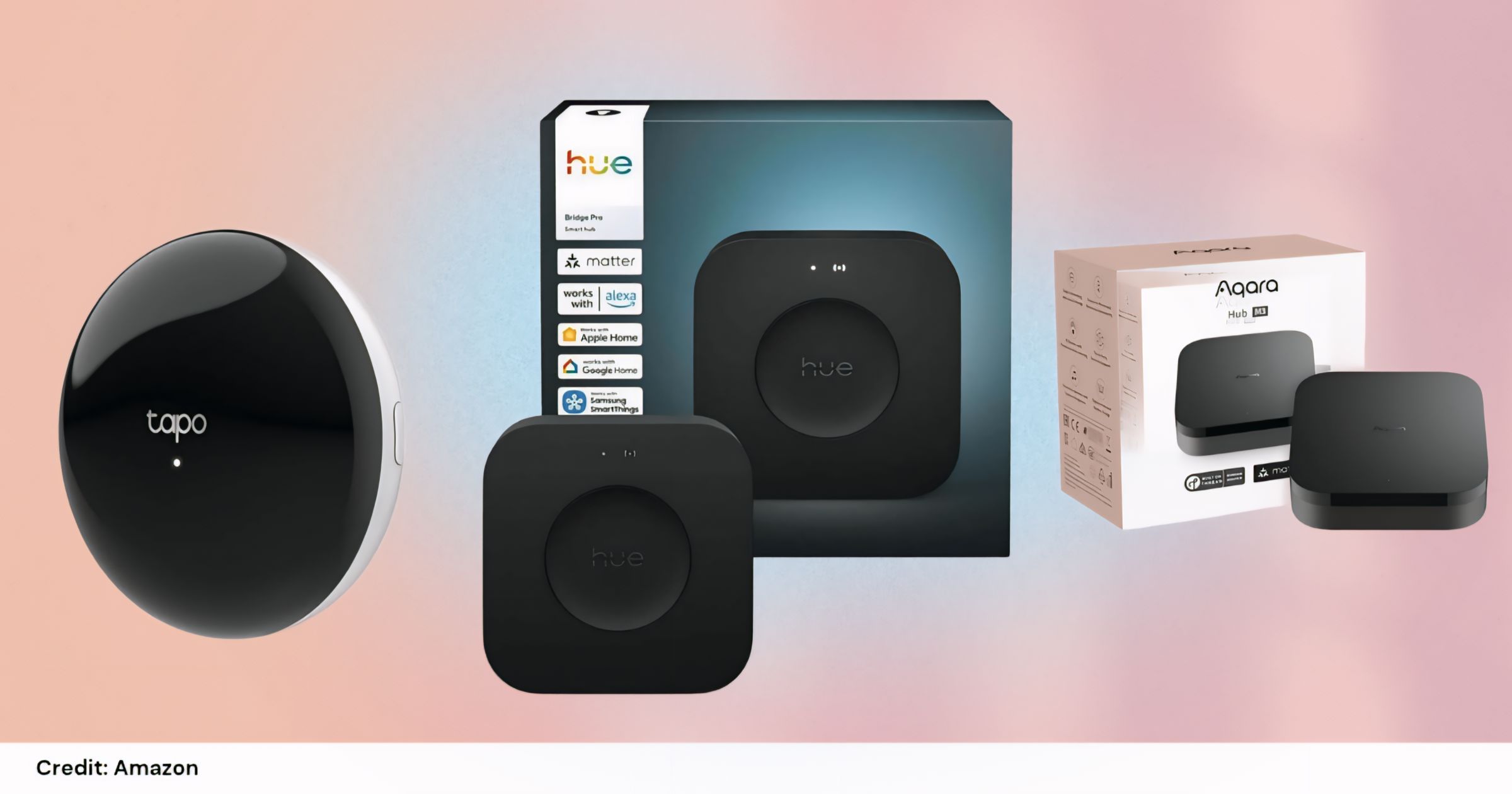
Upgrade your home on a budget with powerful smart hubs that actually make life easier.
Smart home automation is no longer a luxury—it’s becoming essential. From controlling lights and ACs to creating full automation routines, the right affordable smart home gadgets can save time, energy, and effort.
In this guide, we’ve handpicked budget-friendly yet powerful smart home hubs that deliver premium features without a premium price tag.
”This post contains affiliate links. I may earn a commission at no extra cost to you.”
🔝 Top Affordable Smart Home Gadgets
- Tapo Smart IR & IoT Hub H110 – Best budget all-in-one remote hub
- Aqara Smart Home Hub M3 – Best advanced automation hub
- Philips Hue Bridge Pro – Best for smart lighting systems
Quick Comparison Table
| Device | Connectivity | Best For | Key Highlight |
|---|---|---|---|
| Tapo H110 | IR, Wi-Fi | Budget users | Controls 8,000+ devices |
| Aqara M3 | Zigbee, Thread, Wi-Fi, IR | Advanced automation | Works with multiple ecosystems |
| Philips Hue Bridge Pro | Zigbee | Lighting control | Supports 150+ lights |
🛒 Detailed Reviews
Credit: Amazon
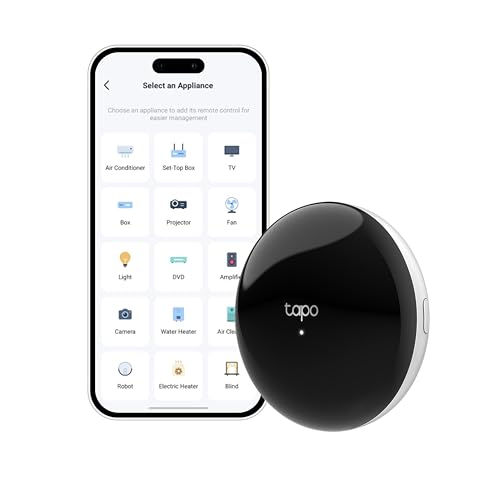
The Tapo Smart IR & IoT Hub H110 is perfect for beginners entering the smart home world.
✨ Key Features:
- Universal IR remote (TVs, ACs, fans, etc.)
- Supports 8,000+ brands
- Voice control + mobile app
- Matter-certified for future compatibility
✅ Why It Stands Out:
- Extremely affordable
- Replaces multiple remotes
- Easy setup for beginners
💡 Best For: Budget users and simple automation setups
RELATED: Smart Home Devices for Beginners: Easy & Affordable Gadgets to Upgrade Your Home (2026 Guide)
Credit: Amazon

The Aqara Smart Home Hub M3 is built for users who want serious automation power.
✨ Key Features:
Supports Zigbee, Thread, Wi-Fi, Bluetooth, IR
Works with:
- Alexa
- Apple HomeKit
- SmartThings
- Home Assistant
- IFTTT
- PoE (Power over Ethernet) support
✅ Why It Stands Out:
- Highly flexible ecosystem
- Advanced automation rules
- Future-proof with Matter support
💡 Best For: Tech-savvy users & automation enthusiasts
RELATED: Best Smart Home Devices to Upgrade Your Home in 2026
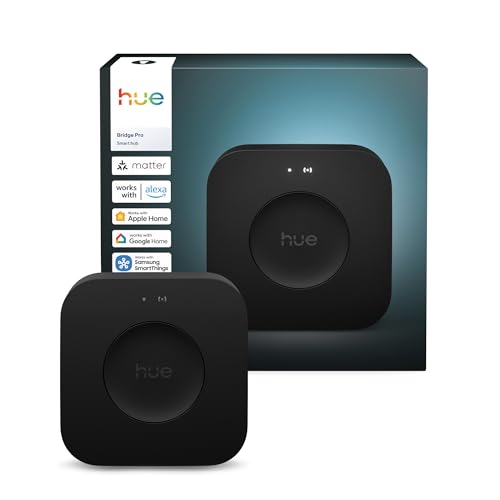
The Philips Hue Bridge Pro is the gold standard for smart lighting control.
✨ Key Features:
- Controls 150+ lights
- Supports 50+ accessories
- Secure, encrypted connection
- Works with Apple Home, Alexa, Google Assistant
✅ Why It Stands Out:
- Ultra-reliable lighting automation
- Smooth app experience
- Perfect for mood lighting & ambiance
💡 Best For: Smart lighting lovers and home aesthetics
How to Choose the Best Affordable Smart Home Gadget
✔ Compatibility Matters
Make sure your hub supports:
- Alexa / Google Assistant
- Apple HomeKit
- Matter (future-proof standard)
✔ Connectivity Options
- Basic → IR + Wi-Fi (Tapo)
- Advanced → Zigbee + Thread (Aqara)
- Lighting → Zigbee (Philips Hue)
✔ Automation Level
- Simple routines → Tapo
- Complex automation → Aqara
- Lighting scenes → Philips Hue
✔ Budget Consideration
- Under budget → Tapo
- Mid-range → Aqara
- Premium lighting → Philips Hue
⚡ Real Benefits of Smart Home Automation
- 🕒 Save time with automation
- 💡 Control devices remotely
- 🔋 Reduce energy consumption
- 🔐 Improve home security
- 🎯 Customize daily routines
❓ FAQ
Are smart home gadgets expensive?
👉 Not anymore. Many affordable options like Tapo offer powerful features at low cost.
Do I need Wi-Fi for smart home devices?
👉 Yes, most devices require Wi-Fi, but some also use Zigbee or Thread for better performance.
Which smart hub is best for beginners?
👉 Tapo Smart IR Hub is the easiest to start with.
What is Matter in smart home devices?
👉 Matter smart home standard is a universal standard that ensures compatibility across devices and brands.
Final Verdict: Best Affordable Smart Home Gadgets
Choosing the right smart home device depends on your needs:
- ✔ Tapo Smart IR Hub → Best budget & beginner-friendly
- ✔ Aqara M3 → Best for advanced automation
- ✔ Philips Hue Bridge Pro → Best for lighting setups
👉 If you’re just starting, go with Tapo
👉 If you want a powerful system, choose Aqara
👉 If lighting is your priority, pick Philips Hue
”This post contains affiliate links. I may earn a commission at no extra cost to you.”